
Financial automation applies a defined process repeatedly. That process might gather market observations, prepare a research report or check a condition. Its value comes from consistency and visibility, not from the number of steps on a canvas.
A scheduled task can still be unreliable if its instrument is ambiguous or its data is stale. Design the process before deciding how often it should run.
Define the input and the intended result
Start with a small research routine you could perform manually. Write down the instrument identity, required observations and expected output. For example: “Each weekday after the relevant session, summarize available closing observations for this watchlist and flag missing prices.”
That specification still needs a timezone, a session definition and a decision about unavailable data. A calendar schedule does not know automatically whether a market is closed for a holiday or whether a particular dataset has updated.
Separate deterministic steps from judgment
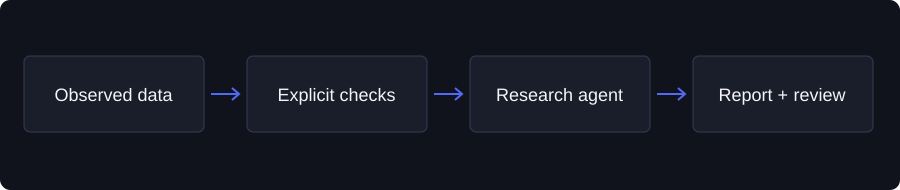
A calculation can apply an explicit formula. A condition can compare an available value with a defined threshold. An agent can summarize or interpret information using its instructions and permitted tools.
Use each step for a clear purpose. Do not ask a model to recreate simple arithmetic when a calculation step is more inspectable. Do not treat an interpretation as a factual input to another step without understanding how it was produced.
Design the failure path
Decide what happens when a source returns no data, the selected contract expires or a connected destination becomes unavailable. A missing quote should not quietly become zero. A failed delivery should not be described as a completed notification.
Write the expected behavior beside each important dependency. A workflow can stop, report a missing input or require review. The appropriate choice depends on its purpose. What matters is that the behavior is deliberate and visible in the execution record.
Test before scheduling
In Taken's Automation Builder, inspect the connected nodes and their configuration, then test the saved workflow. Review actual step results instead of only the overall run status.
A test should check the source identity, data period, condition outcome and final output. If the workflow includes external delivery, use your own connected and permitted destination. Do not assume a test sends nothing or that selecting a destination authorizes every possible future action; inspect the workflow's action settings.
Monitor the process after it starts
Ongoing workflows need review when sources, objectives or connected accounts change. Keep run history and failure reports available so you can tell whether silence means “no condition met” or “the task never completed.”
Automation is not synonymous with auto-trading. Taken's research workflows should not be described as a way to bypass trade permissions or guarantee an investment result. Build a first automation around a modest, verifiable task, then expand only when the observed results justify it.
Educational information, not a recommendation to buy or sell an investment. Data availability and product capabilities can change. Examples in this article are illustrative unless identified as observed data.